Combining Functions
Each of PromptLoop's functions accomplish specific tasks very well. They can also be effectively used together to accomplish multi-step workflows.
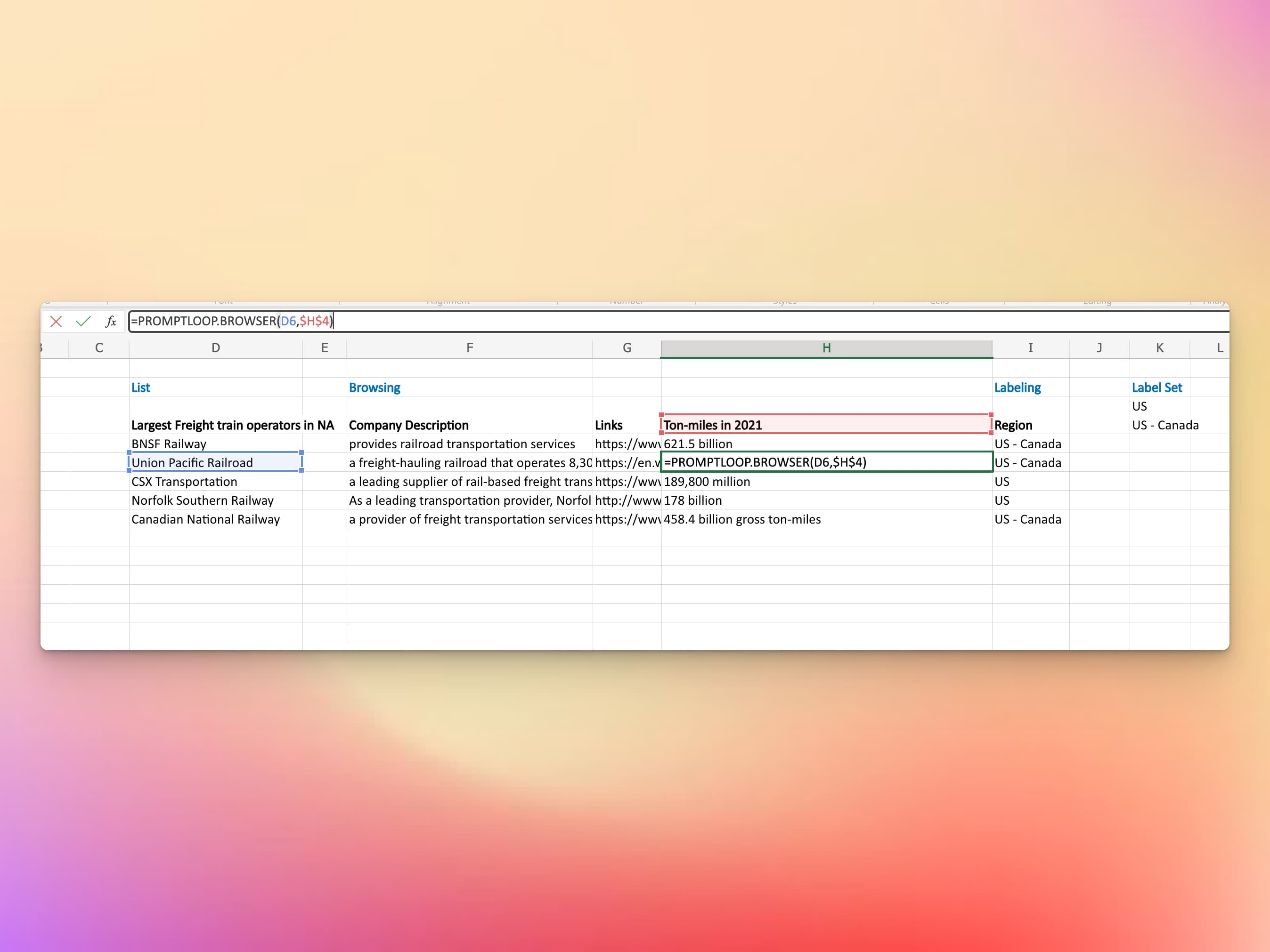
Example: List, Browsing and Labeling
One common way functions are combined is to retrieve text with the Promptloop browser and then analyze and bucket it with the Label function. This combines AI web browsing with accurate and specific AI text labeling. This pipeline can serve as a replacement for human research and summary pipelines and can easily and quickly populate data for reports, research tasks, and more.
To get the most out of each row, leverage both the verbose and source options in the browser. Once the information you are looking for is returned you can use the labeling function to drop various rows and data points into buckets. Once bucketed you can use a SUMIF, Pivot Table, or any other standard tools to process the information you gathered.
Web Browsing Label Pivot Table